Blue Team Labs Online - Beacon

Incident Response
Tags: CyberChef Oledump Cobalt Strike Configuration Extractor and Parser Verify Cobalt Strike Python3.7 Linux CLI
Scenario Our payments department has received a suspicious Excel document. Analyse the file to identify and retrieve any indicators of compromise for threat hunting.
Environment Awareness
Evidence & Tools Discovery
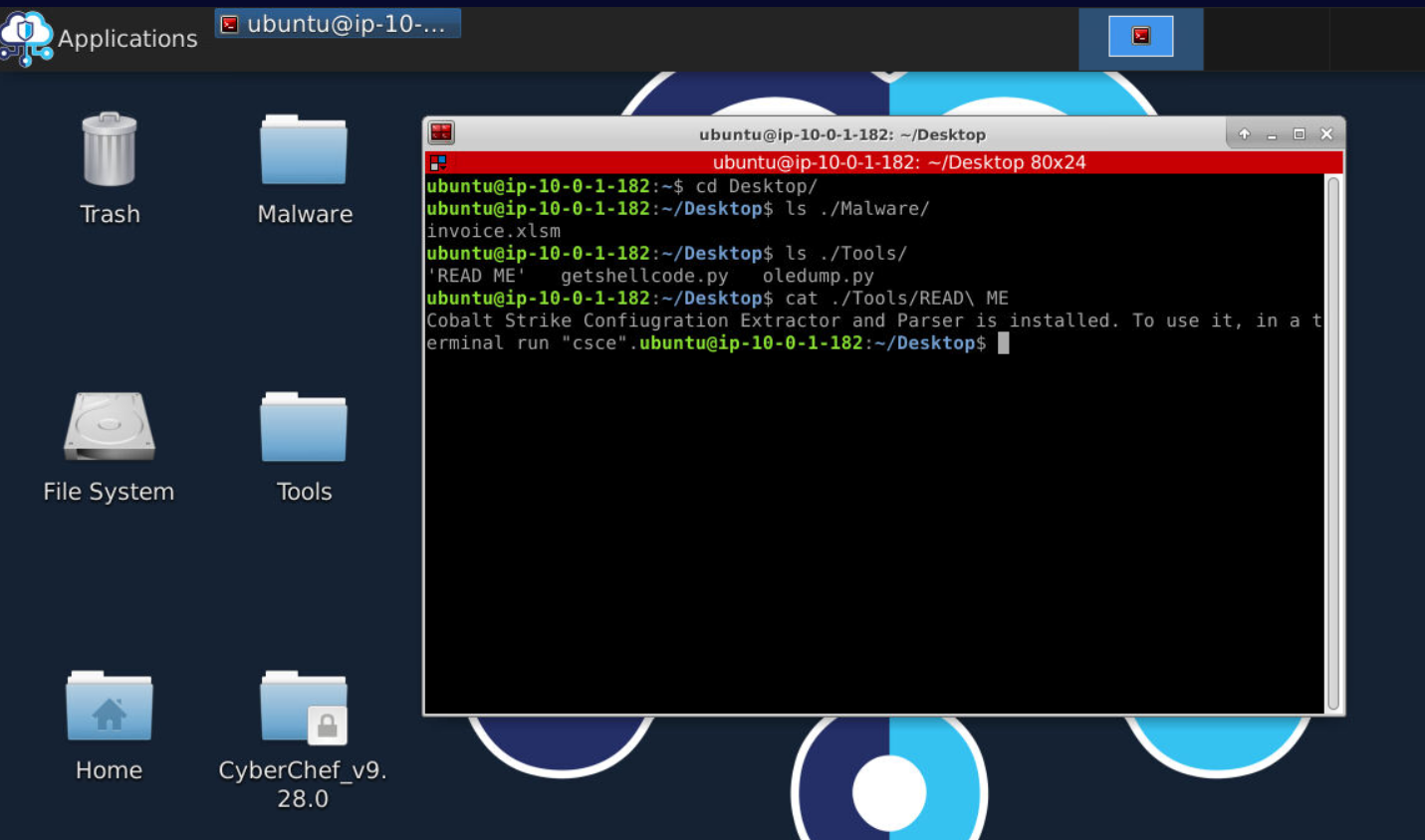
We got excel document in malware directory and tools that we could use in tools directory and looking from these tools, we will have to use oledump to identify malicious macro/payload inside excel document then use getshellcode.py to extract payload from it then use Cobalt Strike Configuration Extrator to find out about configuration of that payload so the payload that we gonna analyze is Cobalt Strike beacon!
Investigation
Q1) What is the SHA-256 file hash value of the Excel document? (Format: SHA256)
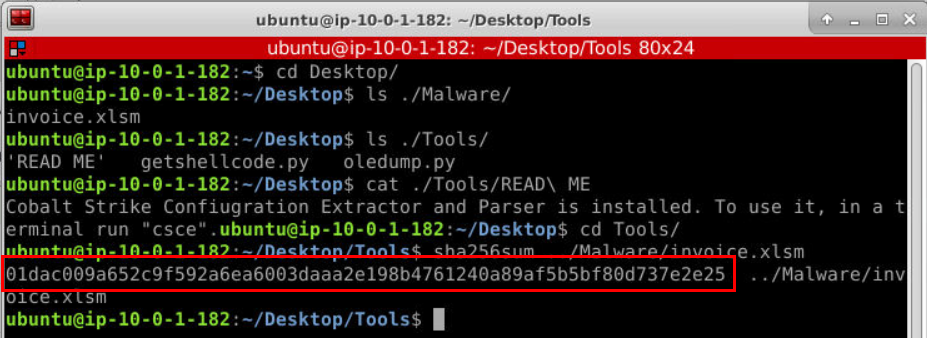
First to finish this question, lets calculate SHA256 hash of excel document.
Answer
01dac009a652c9f592a6ea6003daaa2e198b4761240a89af5b5bf80d737e2e25Q2) What are the streams which contain VBA macros (list lowest to highest)? (Format: stream, stream, stream)
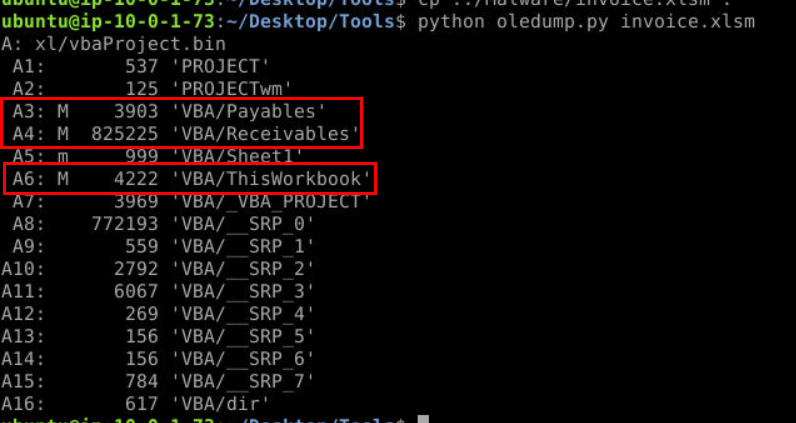
After executing python oledump.py invoice.xlsm (I moved it to Tools directory) then we should be able to see that there are 3 macros on this document as indicated by M (stand for Macro) sign.
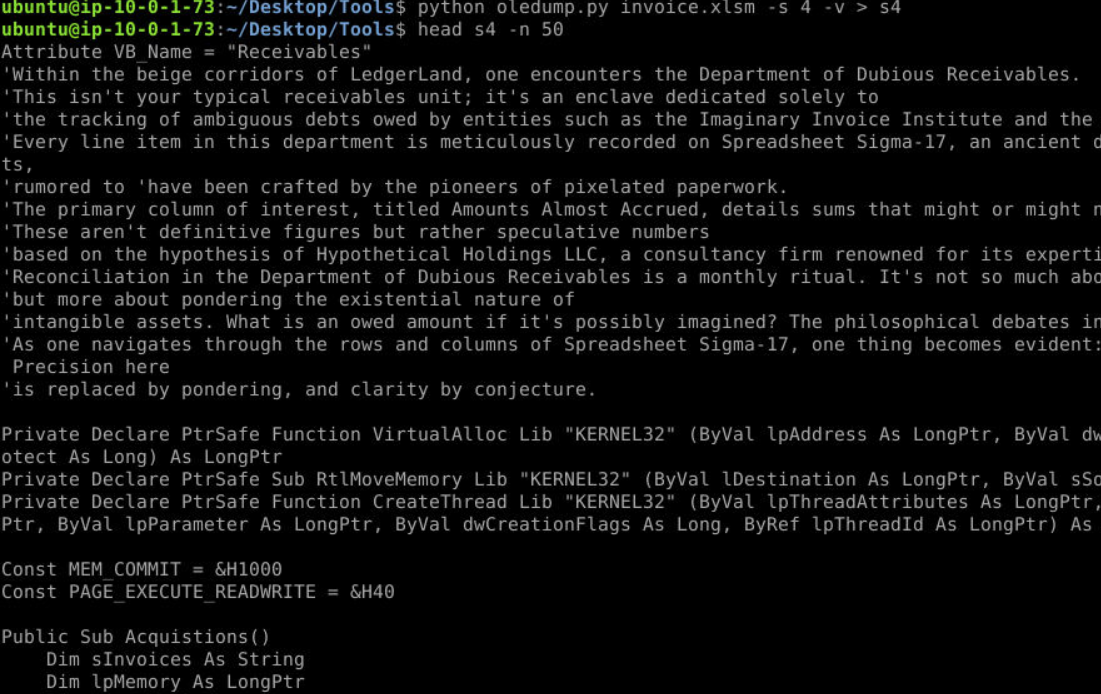
We could dig a little bit futher by identify each stream with -s $stream -v then we could see that malicious payload is in stream 4.
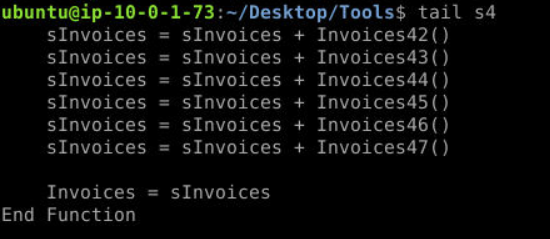 The payload is base64 encoded that stores in 47
 Invoices functions and it will be concatenate to sInvoices and pass to Invoices variable at the end of the function.
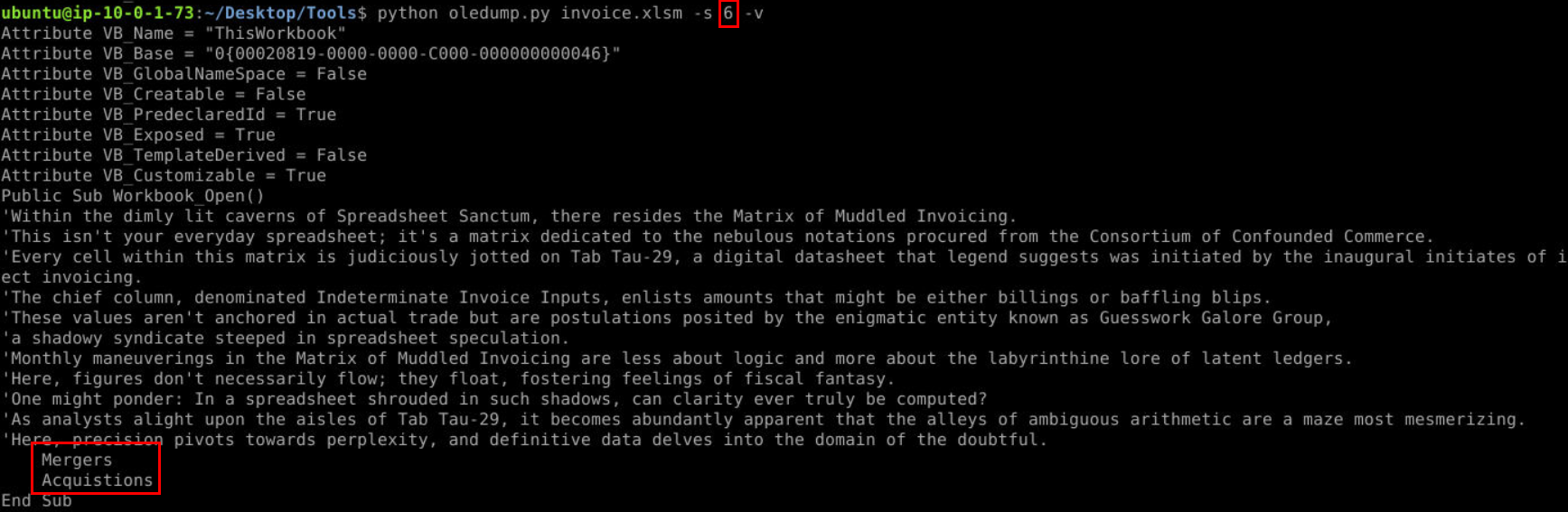
stream 3 is just containing text in Mergers function so I didn't take a screenshot but stream 6
Be careful when submit answer, we know that object 3, 4 and 6 contain macros but it has to be perfectly matched answer format (unlike newer lab on BTLO that will just accept whatever format as long as we put the right value)
Answer
A3, A4, A6Q3) What is the name of the Excel code module which contains the encoded strings? (Format: ModuleName)
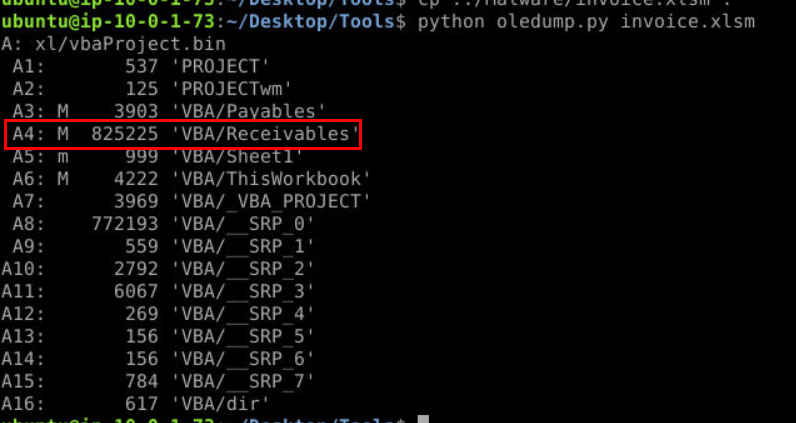 We already confirmed that base64 encoded payload is in stream 4 so lets get module name of this stream.
Answer
ReceivablesQ4) What is the extracted payload's SHA-256 file hash value? (Format: SHA256)
Its time for getshellcode.py but before we executed, we have to know what it does first!
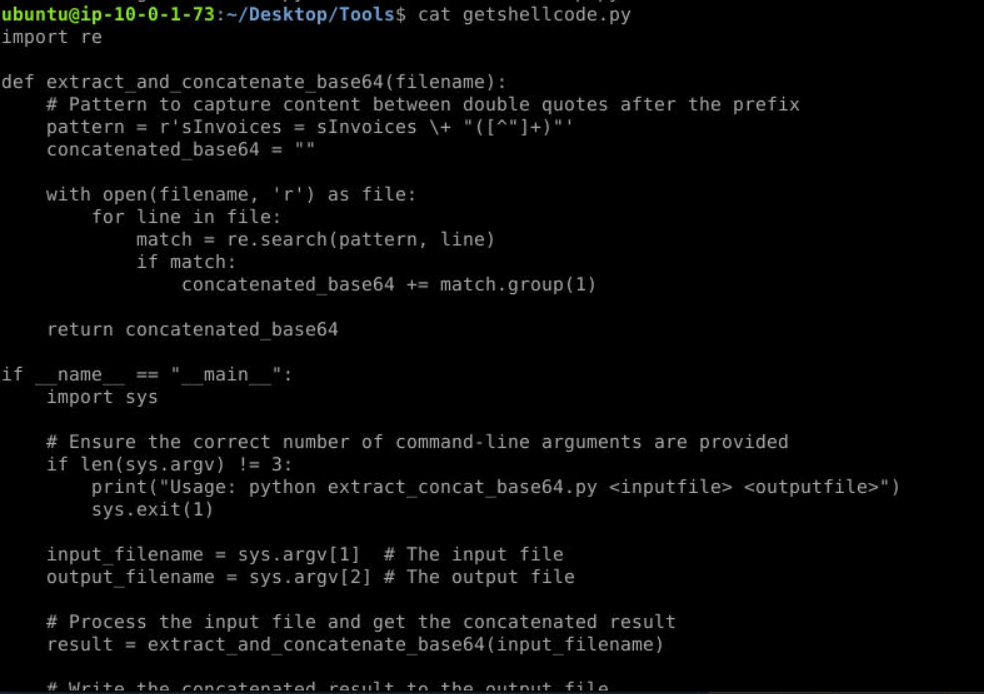
So it will get all base64 encoded string with regex specify for provided excel document and we have to specify an output file to store extracted payload.
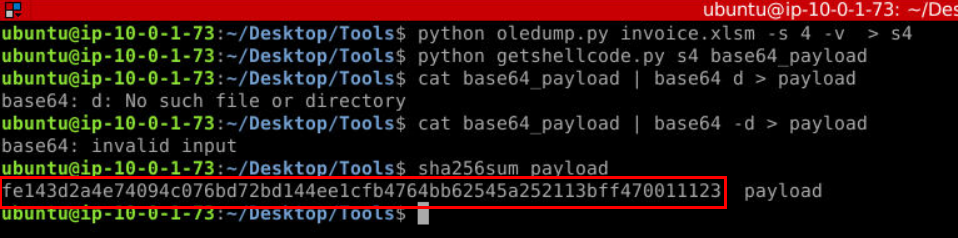 After extracted base64 encoded payload then we can use
 cat base64_payload | base -d > payload to get the actual payload and calculate SHA256 hash out of it (you might get base64: invalid input error but the operation will be success nontheless)
Answer
fe143d2a4e74094c076bd72bd144ee1cfb4764bb62545a252113bff470011123Q5) Check the file hash on VirusTotal. What command-and-control framework is this shellcode for? (Format: C2 Name)
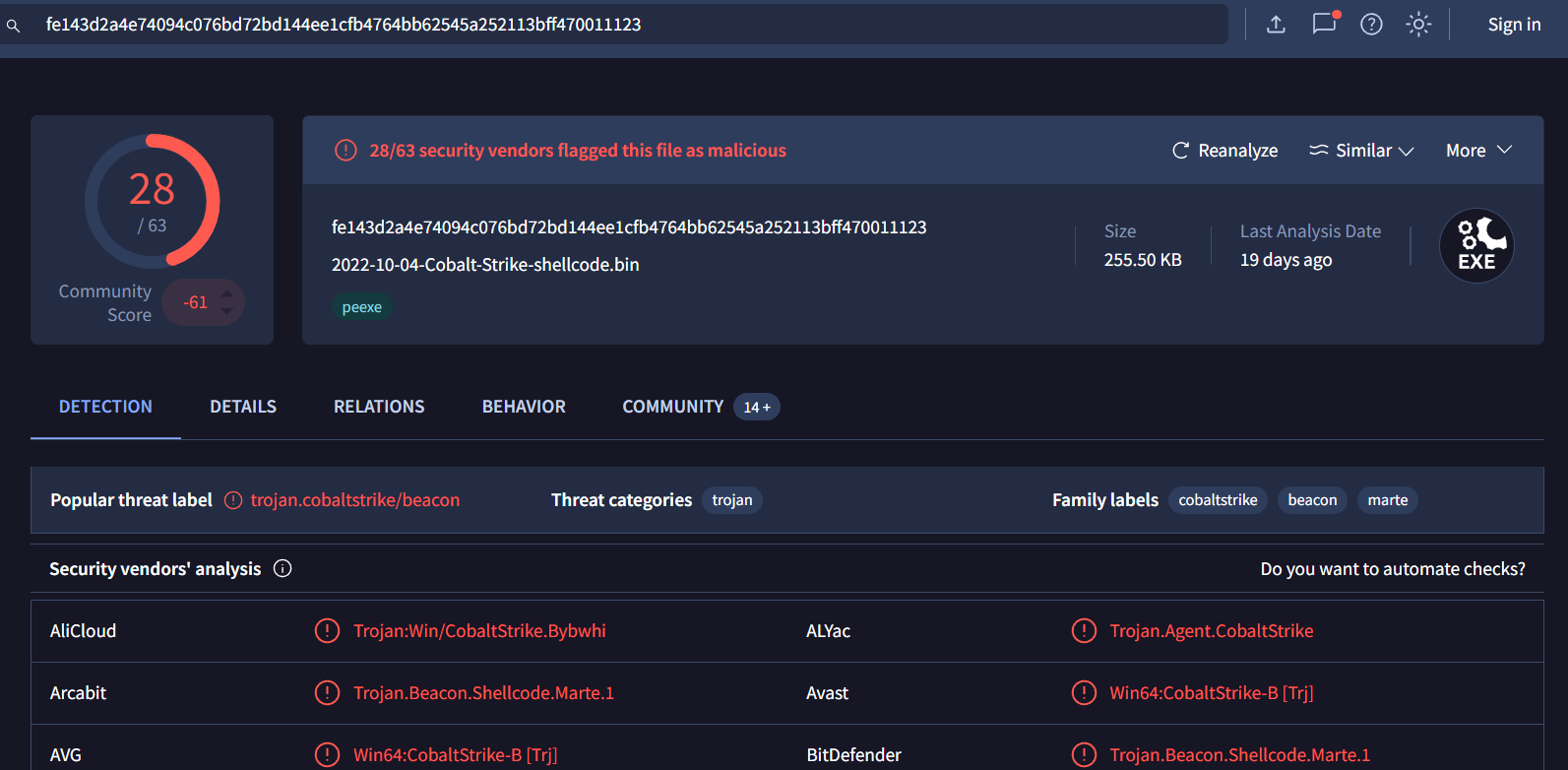 We already know that we will analyze Cobalt Strike beacon so the answer is not that hard to obtain for this one 😄
Answer
cobalt strikeQ6) Using available tools determine what is the beacon type? (Format: beacontype)
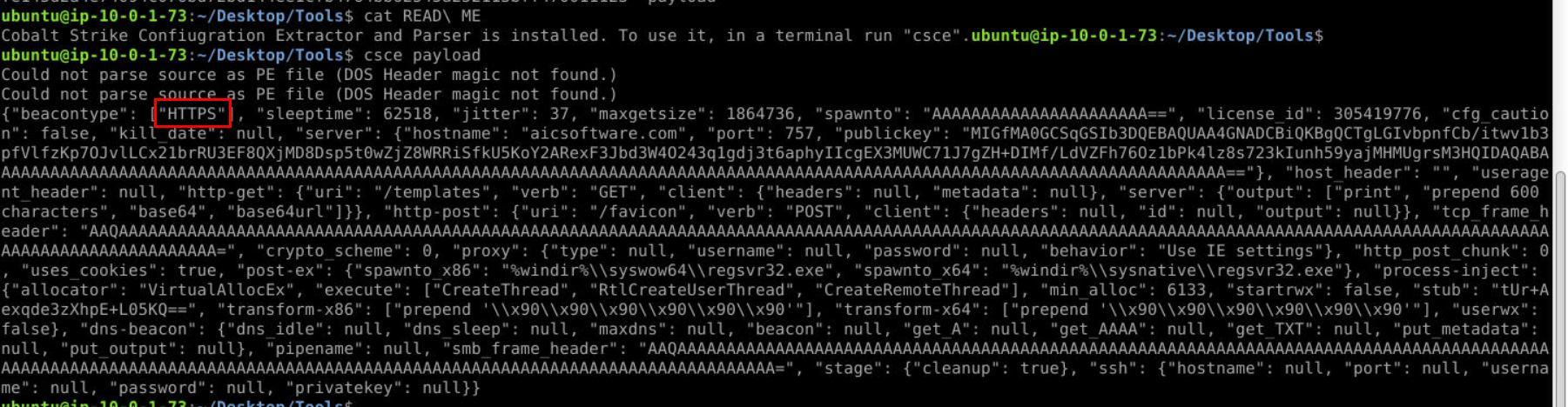 Lets use Cobalt Strike Configuration Extractor to extract cobalt strike configuration of this payload then we will have this beautify output as json like this and the answer of this question is the first key of this output (this machine doesn't have jq so I'll use this image for the rest of remaining questions)
Answer
HTTPSQ7) What is the domain and the port the beacon communicates to? (Format: domain.tld, port)
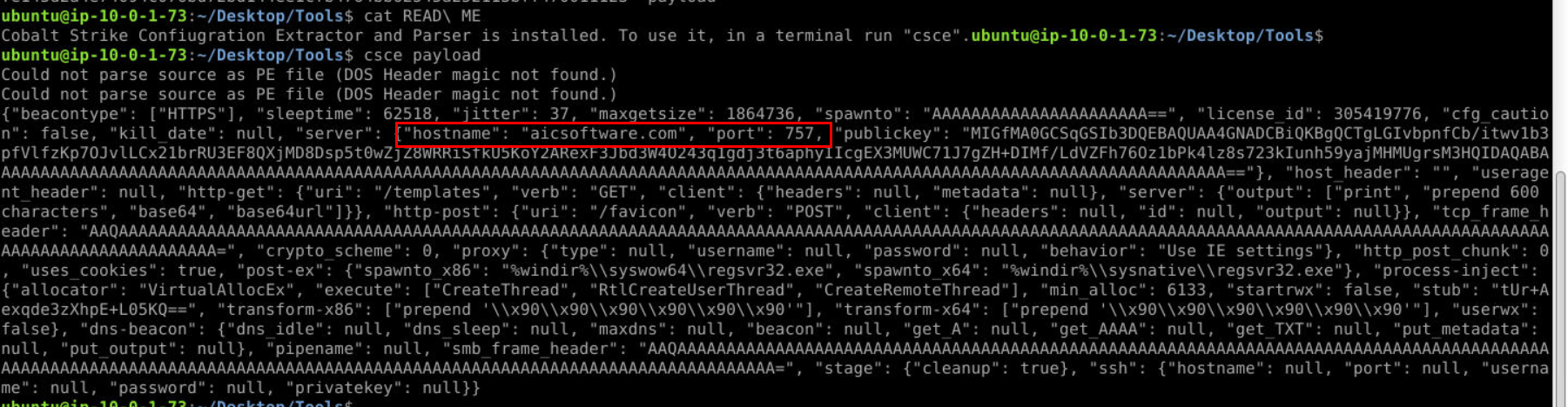 Hostname and port stores these information, you can also get the answer of this question by analyzing VirusTotal report too.
Answer
aicsoftware.com, 757Q8) What is the sleeptime and jitter values of the beacon? (Format: sleeptime, jitter)
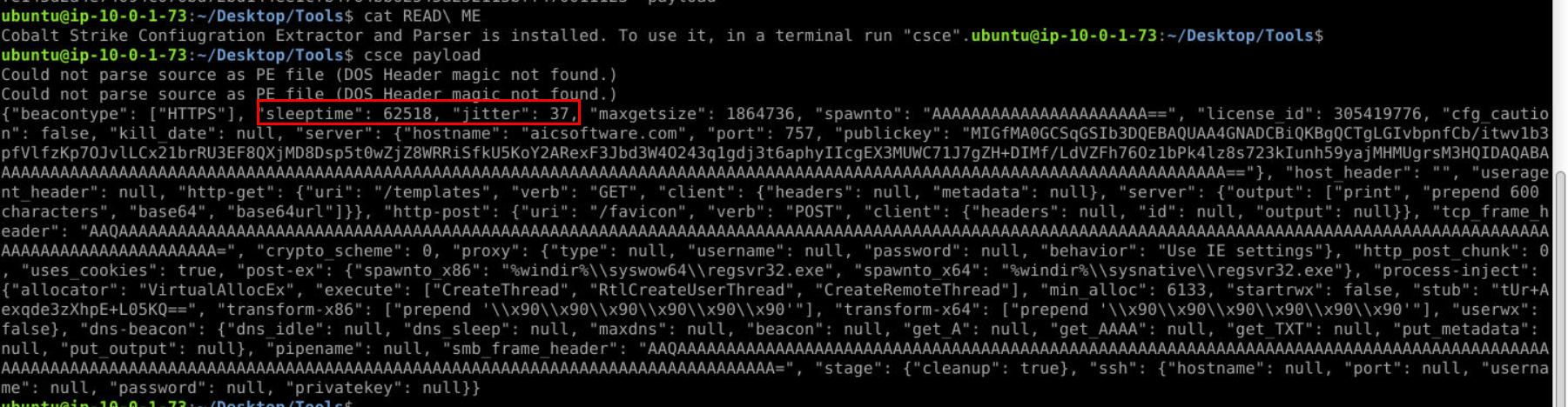
Answer
62518, 37Q9) What is the license id? (Format: license_id)
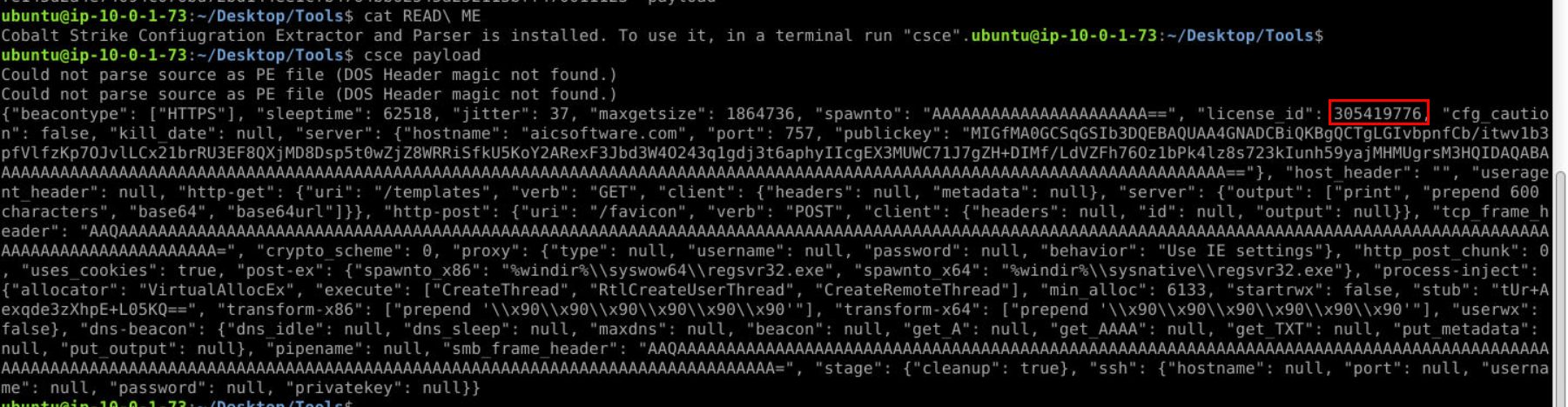
Answer
305419776Q10) Identify the software version? (hint: use the MD5 hash of the stub value) (Format: Full name including version number and date. Hint: copy the line in front of the #)
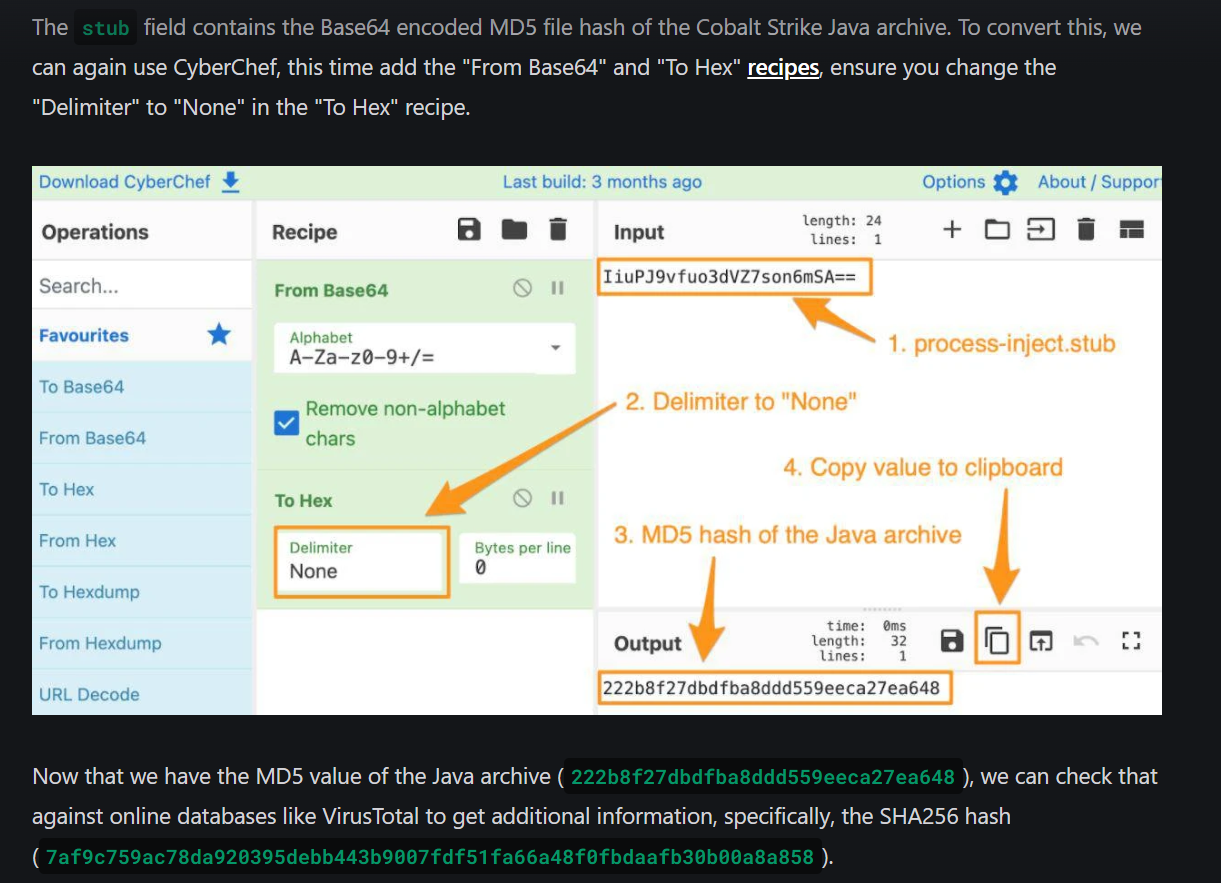
To find out Cobalt Strike version that generated this beacon, We gonna follow this url to get SHA256 hash of cobalt strike jar and search it on verify.cobaltstrike.com
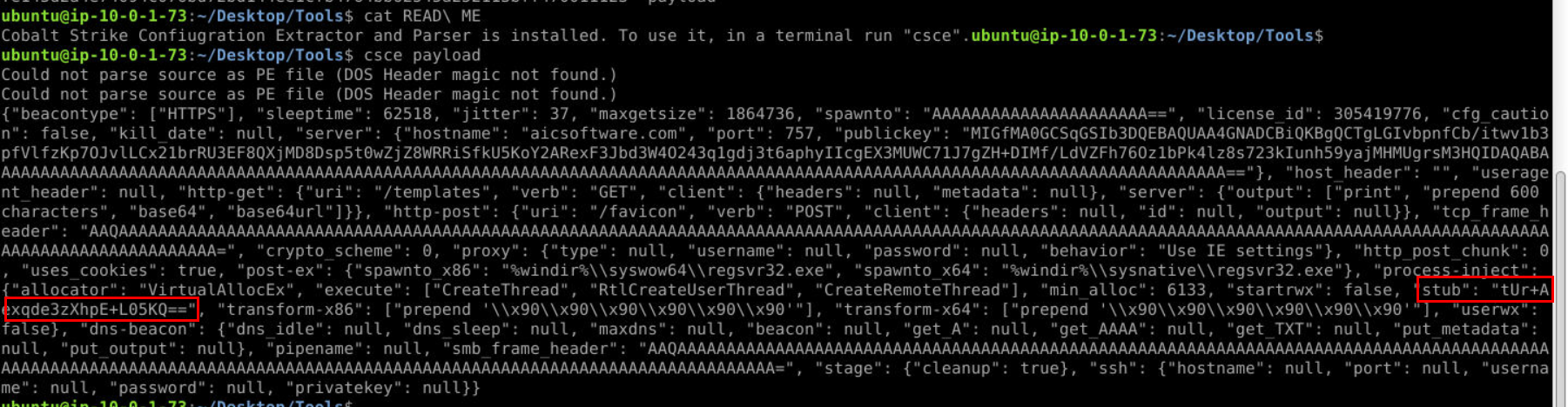
Alright, first we need to get stub field content
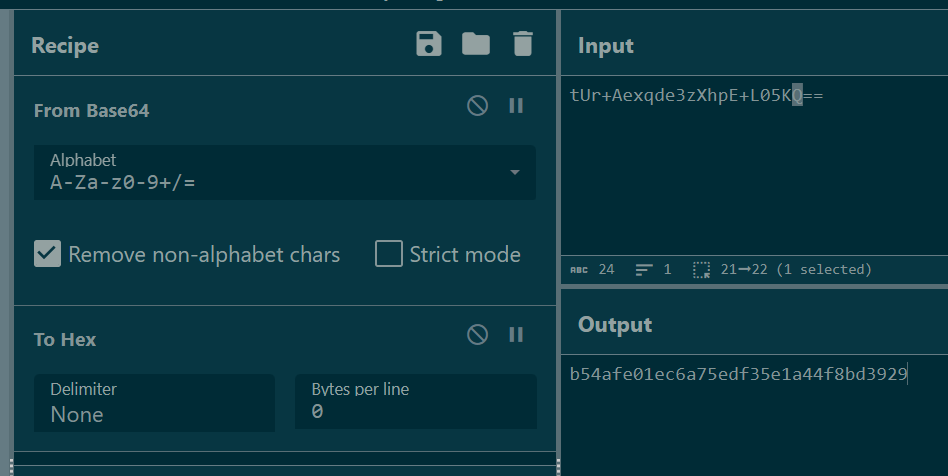
base64 decode then convert it to hex without delimiter then we will get MD5 hash of cobalt strike jar file
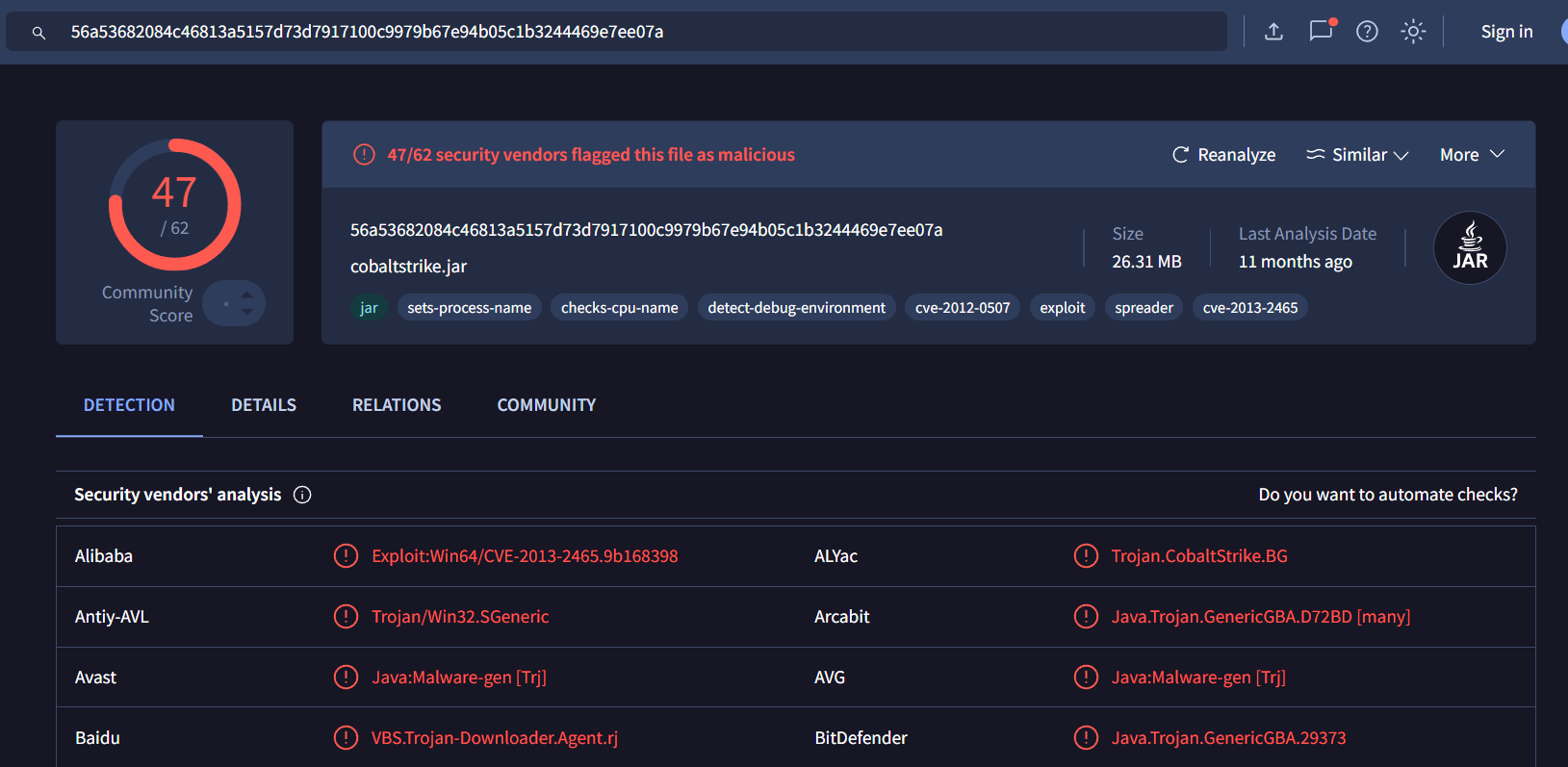
Search it on VirusTotal then we will have SHA256 of this file.

And lastly, search it on https://verify.cobaltstrike.com/ to get software version including released date.
Answer
Cobalt Strike 4.2 (November 6, 2020) https://blueteamlabs.online/achievement/share/52929/174